
Enlighten-‘The Salesforce’
Salesforce is a secure, dependable business growth platform. This guide shows you how to connect Workbench with Salesforce. Salesforce is cloud-based software very similar to Java and object-oriented database design. Apex, Salesforce’s language, is a strongly typed, object-oriented programming language that allows developers to execute flow and transaction control commands in the cloud while working closely with lightning, Salesforce’s client-side API. Apex allows developers to integrate unique business logic and data objects into a full-scale CRM platform. It uses syntax that looks like Java and operates like database stored procedures.
Effortless Data Extraction with Salesforce’s Workbench
Salesforce Workbench is a highly customizable toolbox that lets Salesforce Administrators and Developers work with Salesforce organizations and REST APIs. It is a web-based application. With it, they can update, delete, insert, and export data from Salesforce organizations and REST APIs. They can also run Salesforce Object Query Language (SOQL) and Salesforce Object Search Language (SOSL) queries. In addition, they can inspect their organization’s data, load and test data, publish and debug their apps, and change session settings.
Salesforce Async SOQL Query Workbench
Async SOQL is a mechanism for conducting SOQL queries over Salesforce entity data in the background.
To run queries on large, standard, and custom objects, use the Async SOQL API. It lets you process massive volumes of data held in Salesforce big objects in the most efficient way possible.
When you have millions or billions of entries and need more scalable and performant processing than synchronous SOQL can provide, async SOQL is the way to go. Each query runs in the background, and only one question can be running at a time by default—the results in an object you specify, which can be either a sObject or a significant thing. As a result, you’ll be able to subset, join, and design more sophisticated queries that won’t take time.
Connect Workbench with Salesforce: Login Steps
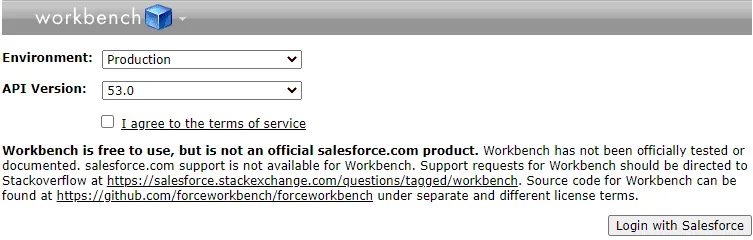
- First, select your environment (production or sandbox)
- Then, after you agree to the terms of service, click Login with Salesforce.
- After you click the Login button, Salesforce redirects you to its login page. There you enter your Salesforce credentials to connect with the Workbench.
- Salesforce Workbench supports standard username and password login, Session ID login, and OAuth 2.0 Remote access login.
- Features of Salesforce Workbench
-
Information Management Capabilities in Workbench
-
Workbench Data Security Features
-
Information Management Capabilities in the Workbench
Workbench Data Features
Alter Records – Workbench lets you see and alter single records by tapping on their ID in question or query items. Also, if you already know the ID, or it came from outside the Workbench environment, you can go to the action you want in the Data menu and paste the ID into the single record field.
Making the Zip record – With Workbench, you can transfer a Zip document to embed, update, upsert or erase paired documents like Content, Documents, and Attachments. For utilizing this component, you want to set up a Zip record containing twofold documents and a CSV record called request.txt.
Smart Lookup – When utilizing Insert, Update, or Upsert, Smart Lookup permits you to give unfamiliar outside IDs or standard ID query fields to naturally find the pertinent Salesforce IDs through related objects.
Erase and Purge – Delete usefulness moves records to your Organization’s reuse container and can be undeleted in the event that the item has an undeletable trait. Cleanse then again for all time erases things in the Organization’s reuse canister. However, a few types of items disappear from your organization immediately when you delete them. Therefore, make sure the record has the undeletable property before you erase records. You can check this with the Describe function, which contains the Attributes folder.
Hard Delete Records from Salesforce Org – Workbench permits you to skirt the Recycle Bin and, for all time, hard erase records from Salesforce Org. For this, you want to erase the documents to the surprise of no one, aside from checking the checkbox marked “For all time hard erase records” in the wizard.
How to Use REST Explorer in Workbench for Salesforce External Data
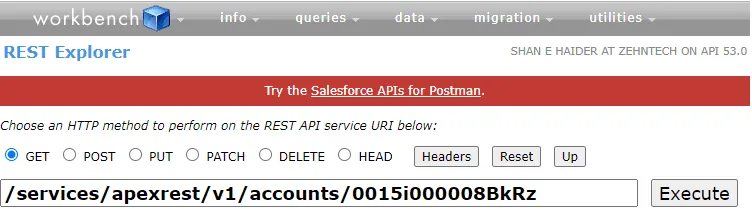
Step : 1 When you have logged in after that you select REST Explorer in Jump to section .
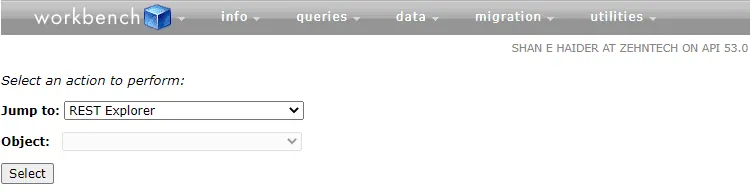
There you will see that type of section.
In that section, write apexrest instead of data, and change the version by request type.
There are mainly five types of request methods:
| S.No | Annotation | Action | Details |
| 1 | GET | Read | Read or Retrieves Record |
| 2 | POST | Create | Create Records |
| 3 | Delete | Delete | Deletes Record |
| 4 | PUT | Upset | Typically used to update existing records or create records |
| 5 | PATCH | Update | Typically used to update fields in existing records |
Why Do We Use PATCH Method?
PATCH is a resource modification mechanism in which the client sends only a portion of the data to change, rather than the complete data. With PATCH, the contained entity holds a set of instructions that describe how to change a resource currently on the origin server to produce a new version.
Next Step For GET Request :
Select the get method from there and after that write the version which is given in REST API when
at a time of API making.
That is what we should call in making an API . Basically, this Field Name by which we should call
From Salesfoece acoount.

This ID which you should get in the URL of your field name account .
Example : You have Account like home . when you click on home then after which URL you see in that there is ID also there.
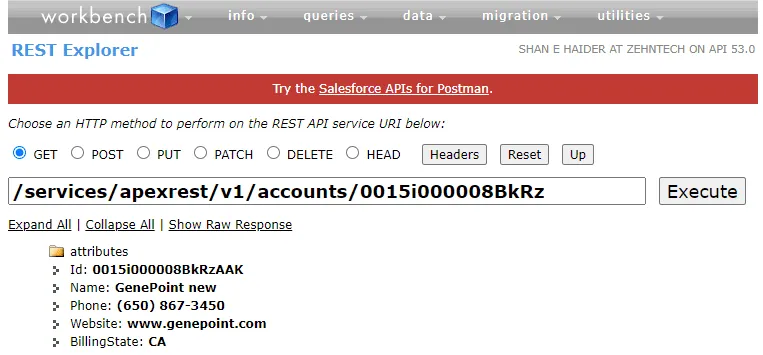
After that, hit the Execute button and you will see your data.
Now for the POST request. The POST method is similar to the GET method, but in this case there is one more field: the request body.
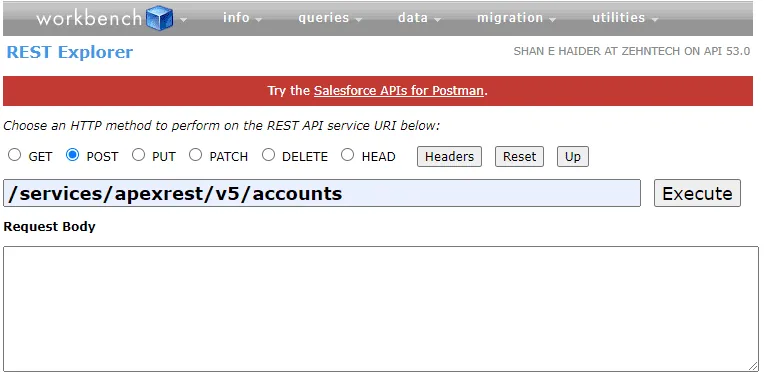
In request body you should put the REST API name first then after that you should put the variable name that you should given in the API time of making .
Example : you see that I am giving a variable name like : Name , Website , account number etc. Whatever you given there.
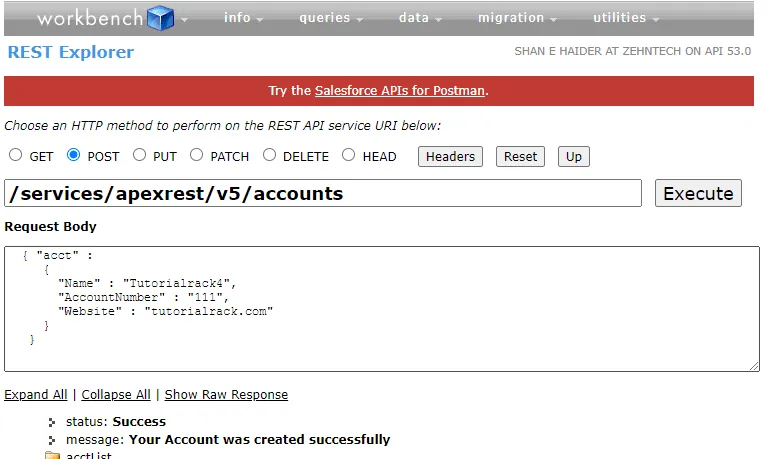
After that, hit the Execute button and you will see the result.
Conclusion
To sum up, Salesforce’s Workbench is a robust and secure data management tool that comes in handy for developers. It dramatically simplifies data administration and extraction. For more such advanced tech help, stay tuned to our blog.
Have a question about this?
Book a 30-minute call with an engineer who works on it.