
PHP has become the most popular web language in recent years because it is easy to use. It also lets developers build feature-rich web applications quickly. Meanwhile, dynamic, interactive, secure and efficient websites need a robust tool suite to design and consume APIs. So, we use Laravel for API development, which makes our content easier to find and helps reach business goals. In this article, we look at how to create and test efficient Laravel APIs.
Requirements
We use the following technologies as we develop our Laravel APIs:
- PHP
- Composer
- Laravel
We use PHP to develop our API. There are other ways to install PHP on our machine.
Composer is a package manager for PHP. You declare what your application needs, and Composer downloads it for you. Let us get Composer up and running.
To download Composer, go to this link: https://getcomposer.org/download/
For the introduction, go to this link: https://getcomposer.org/doc/00-intro.md
Now we can install Laravel by running this Composer command:
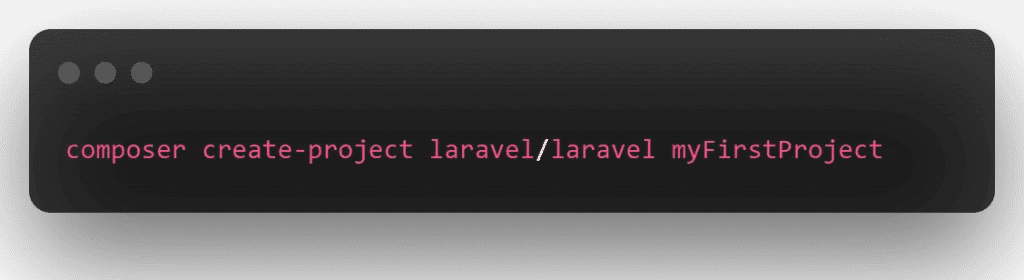
When you run this command, Composer downloads and installs Laravel. It also installs any required dependencies, including the ones that set up a project for us to work on. You can read the entire installation guide quickly.
Laravel Installation Documentation
https://laravel.com/docs/9.x/installation
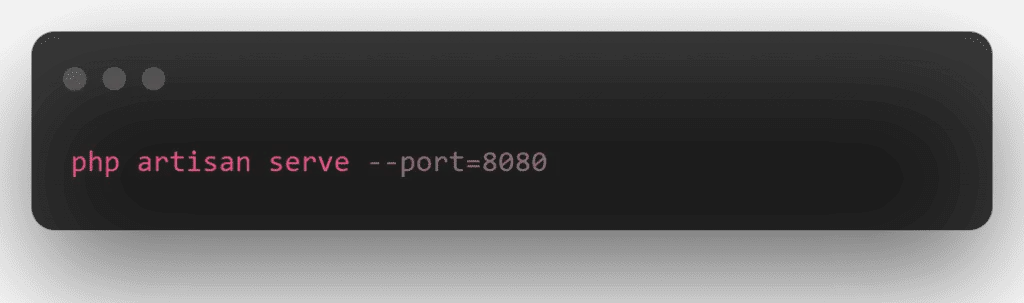
After everything downloads, use the following command to test the installation:
Planning the API
We build an API with Laravel 8 CRUD and Passport authentication. This tutorial shows you how to create a Laravel API with Passport auth. Passport auth usually carries information that you can trust, because a digital signature confirms it.
RESTful APIs use HTTP verbs as actions and endpoints as the resources they act on. We use the HTTP verbs for their meaning.
First, let us define the API methods:
- GET: retrieve resources
- POST: create resources
- PUT: update resources
- DELETE: delete resources
Now we build a robust RESTful API in the Laravel 8 app with Passport Authentication. We also show you a fully working CRUD for user products that uses the API.
The Laravel APIs We Create With Passport Authentication
- Login API
- Register API
- Get User Info API
- Product List API
- Create Product API
- Edit Product API
- Update Product API
- Delete Product API
Rest CRUD APIs in Laravel 8 With These 8 Steps
- Download Laravel 8 App
- Database Configuration
- Install Passport Auth
- Passport Configuration
- Create Product Table and Model
- Run Migration
- Create Auth and CRUD APIs Route
- Create Passport Auth and CRUD Controller
- Test Laravel 8 REST CRUD API with Passport Auth in Postman
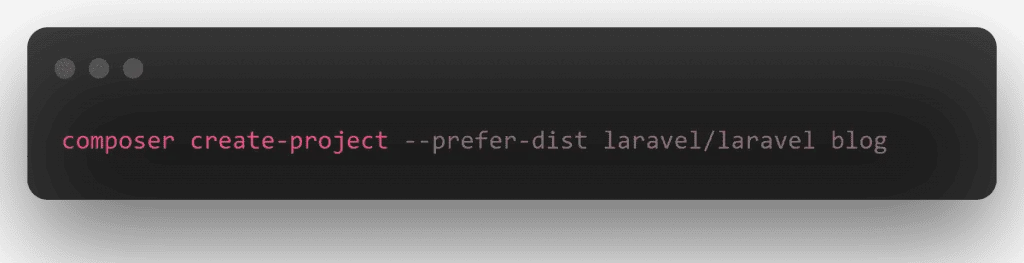
Download Laravel 8 App
First of all, open the command prompt and run the following command to install the Laravel 8 app:
Database Configuration
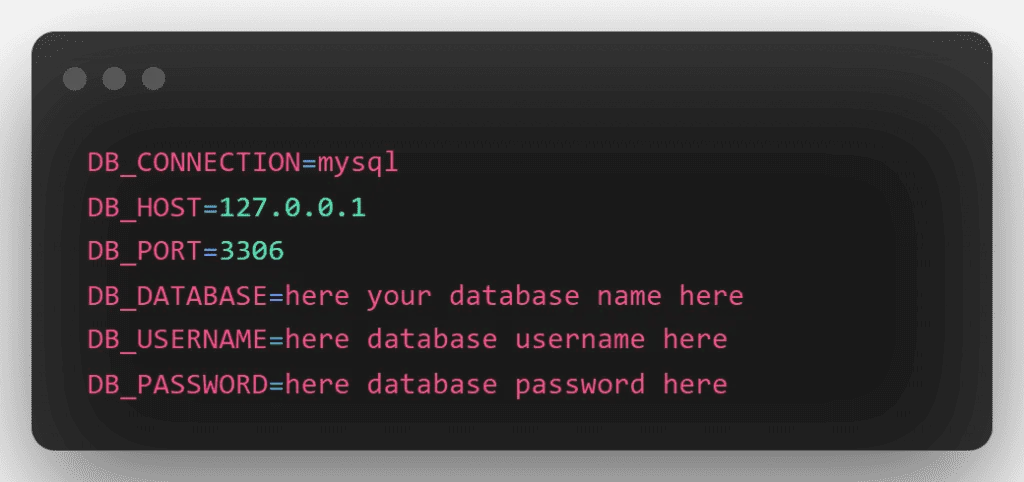
Now, go to the root directory of the Laravel project that you just installed. Then open the .env file. After that, add the database information as follows:
Install Passport Auth
Run the following command to install the Passport package:
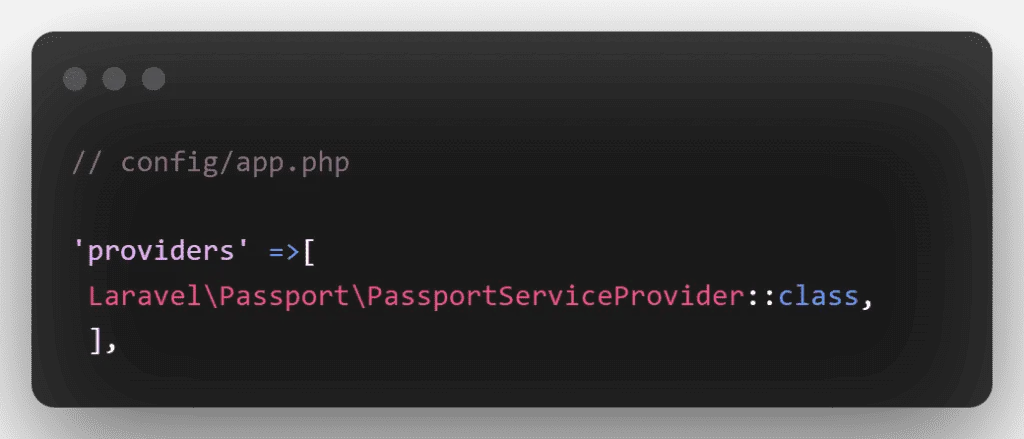
Next, you need Passport encryption keys. This command generates the encryption keys that safe access token generation requires:

Passport Configuration
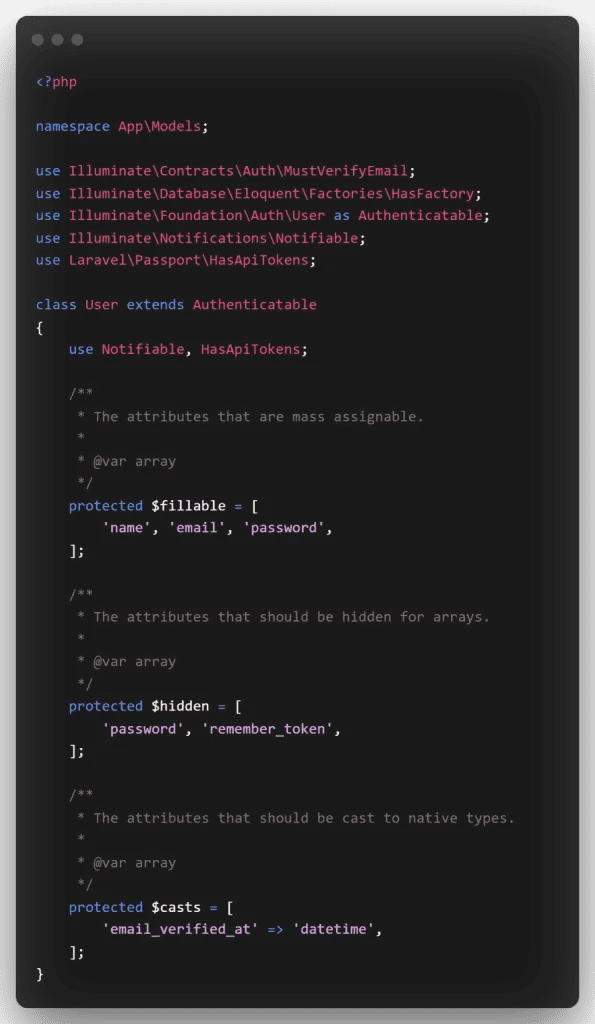
Navigate to the App/Models directory and open the User.php file. Then, in User.php, add the following code:
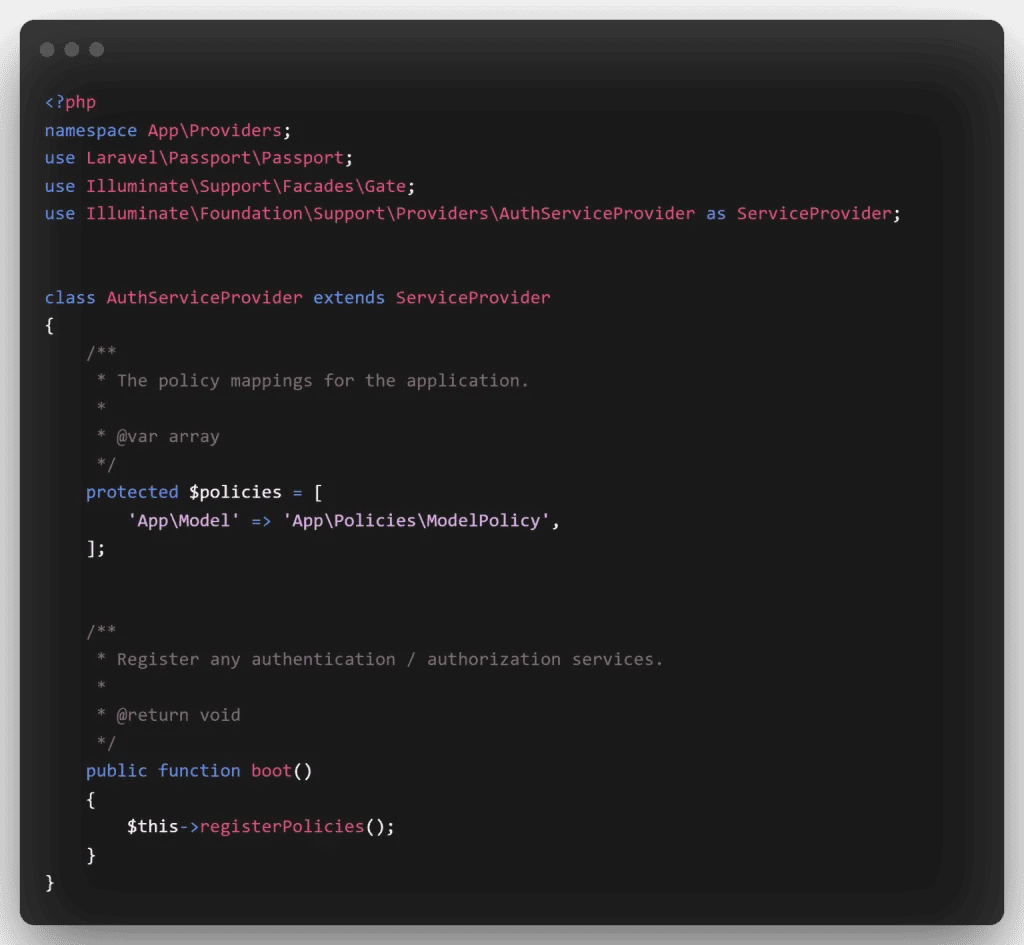
Next, create the Passport routes in App/Providers/AuthServiceProvider.php. Inside the boot method, register Passport::routes():
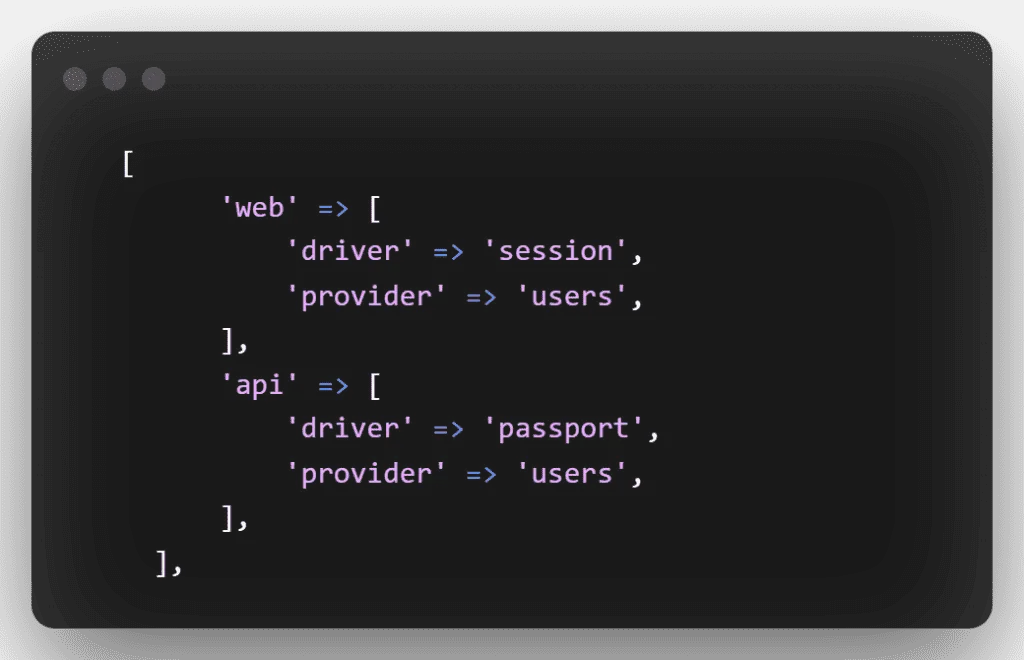
Next, open the auth.php file in the config/auth.php directory. Then change the API driver to passport for the session. Put the following code in API: ‘driver’ => ‘passport’
Create Product Table and Model
To build a product model and migration file, open a terminal and type the following command:
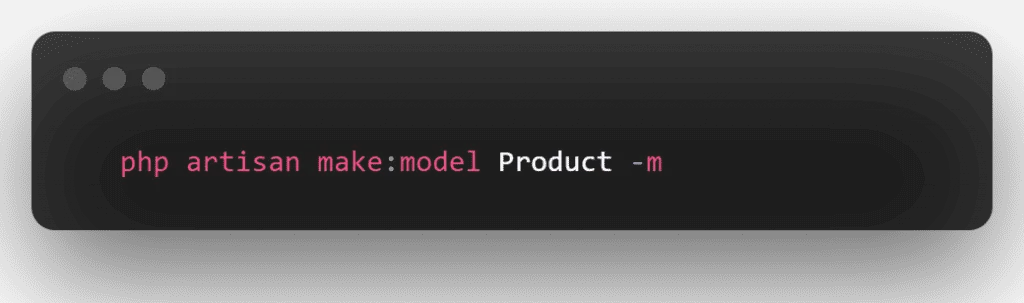
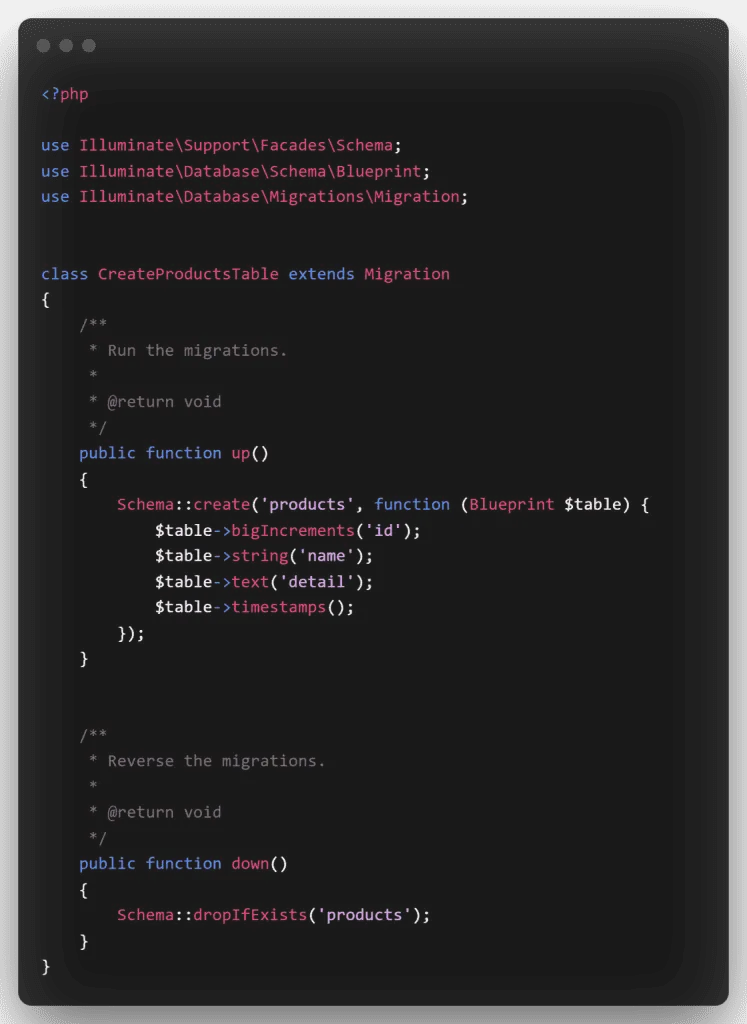
After that, open the create products table.php file in the database/migrations directory. Then add the following code to it:
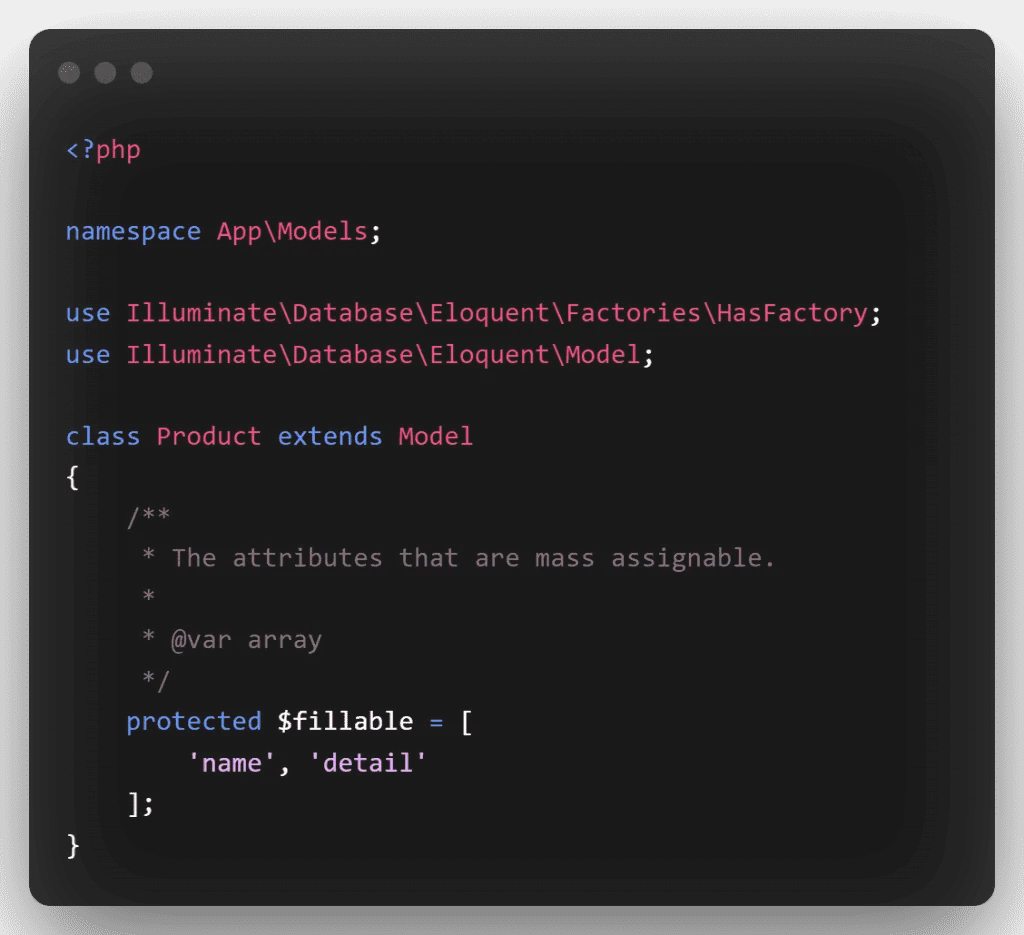
Then, in the product.php file, add the fillable property: navigate to the app/models directory, open product.php, and add the following code:
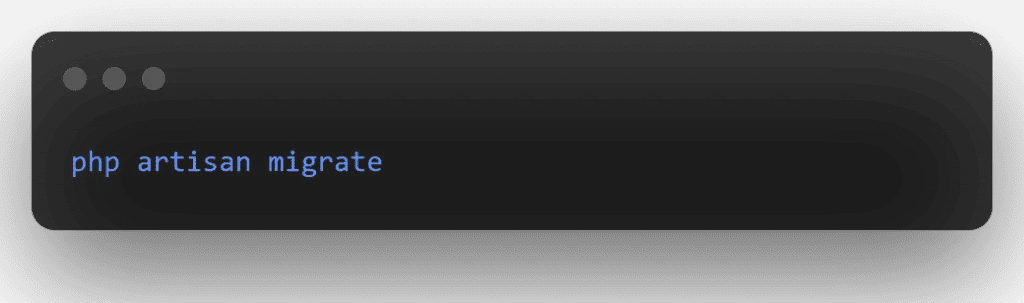
Run Migration
In this phase, you use the command below to migrate your data. This command generates the following database tables:
Create Auth and CRUD APIs Route
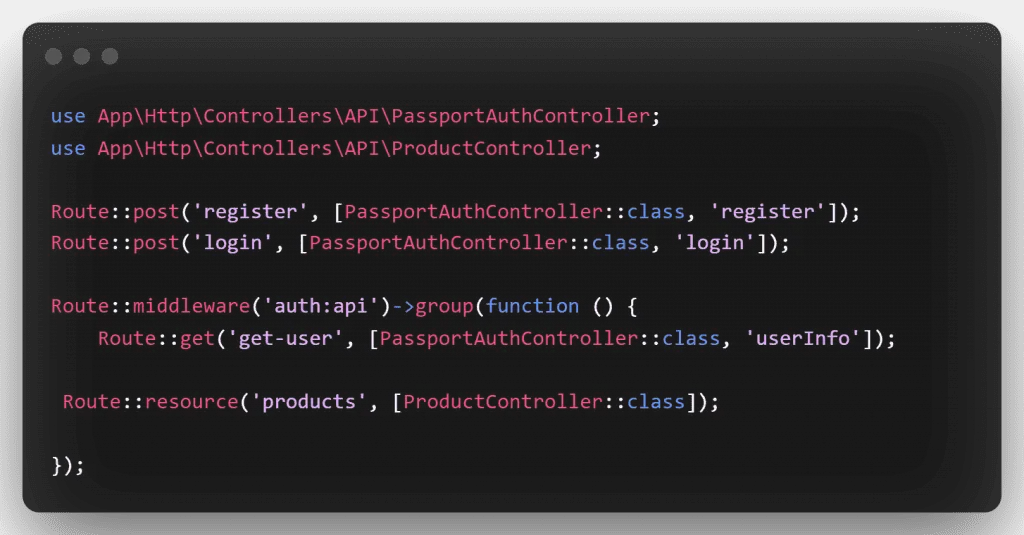
In this phase, we create the REST API auth and CRUD operation routes.
To begin, open api.php in the routes directory. Then edit the following routes in the api.php file.
Create Passport Auth and CRUD Controller
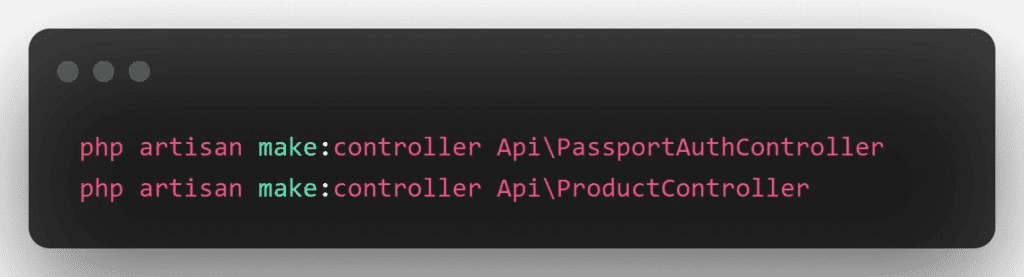
In this step, we create two controllers named PassportAuthController and ProductController. Use the command below to create a controller:
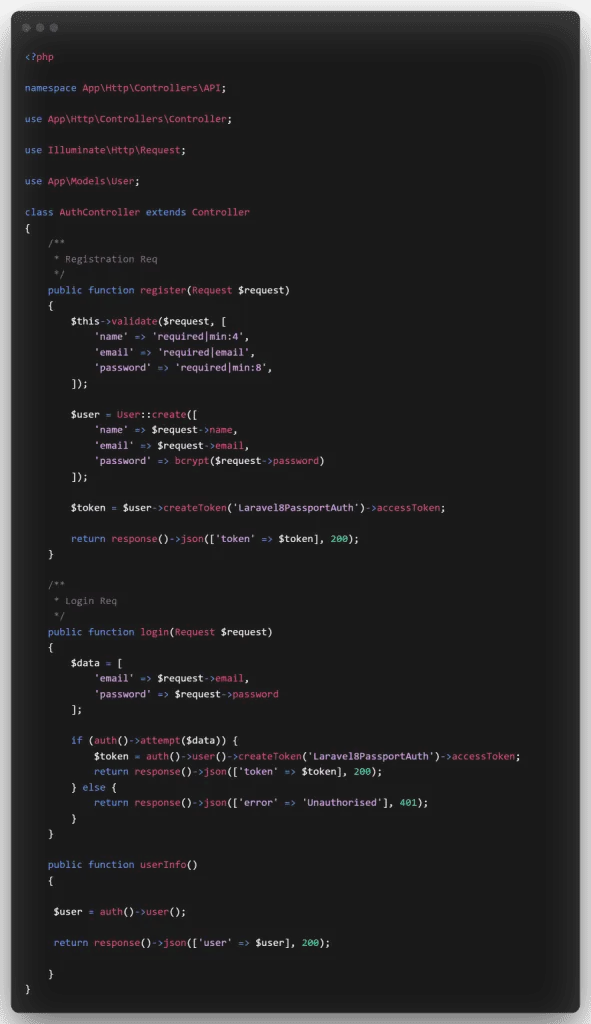
After that, create several authentication methods in PassportAuthController.php. So, open the PassportAuthController.php file in the app/http/controllers/API directory. Then add the following methods to it:
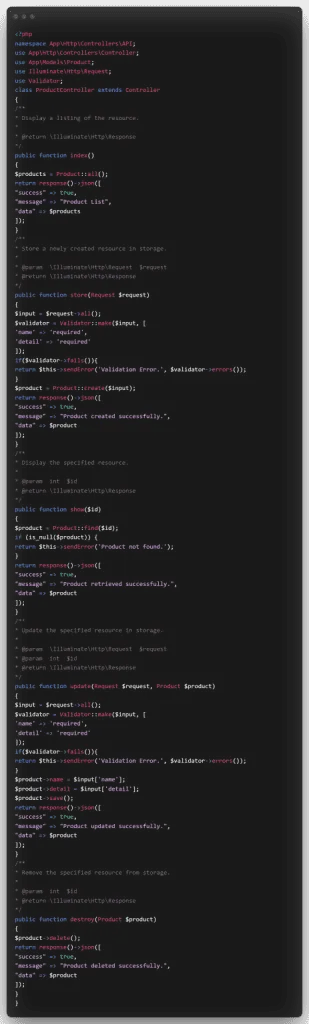
Next, create the REST API CRUD methods in ProductController.php. So, open the ProductController.php file in the app/http/controllers/API directory. Then add the following methods to it:
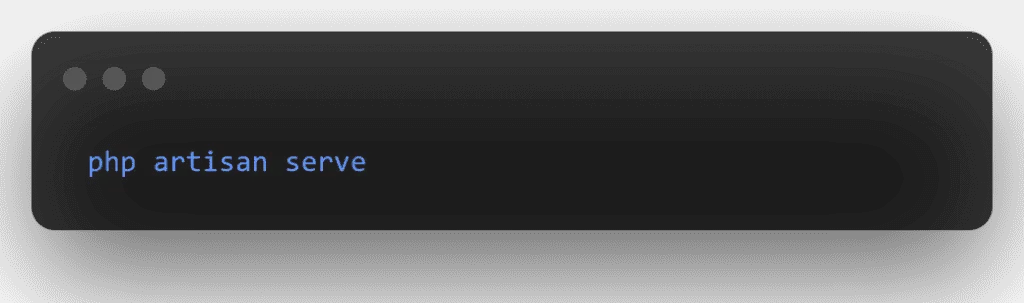
Then, to start the development server, open a command line and type the following command:
Test Laravel 8 REST CRUD API with Passport Auth in Postman
Now, in the Postman app, we call the CRUD and auth APIs that we generated above:
1 – Laravel Register Rest API :
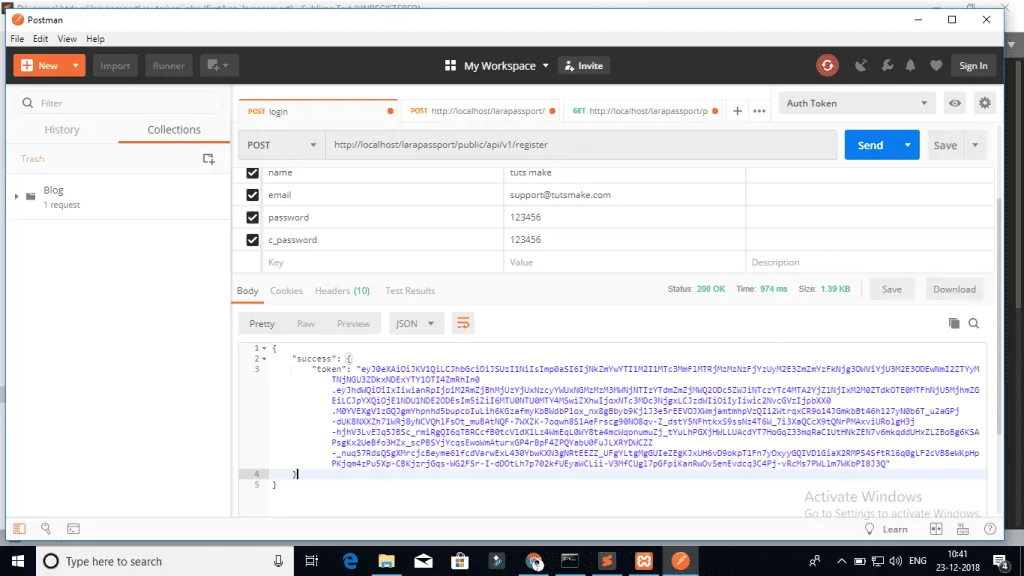
2 – Login API :

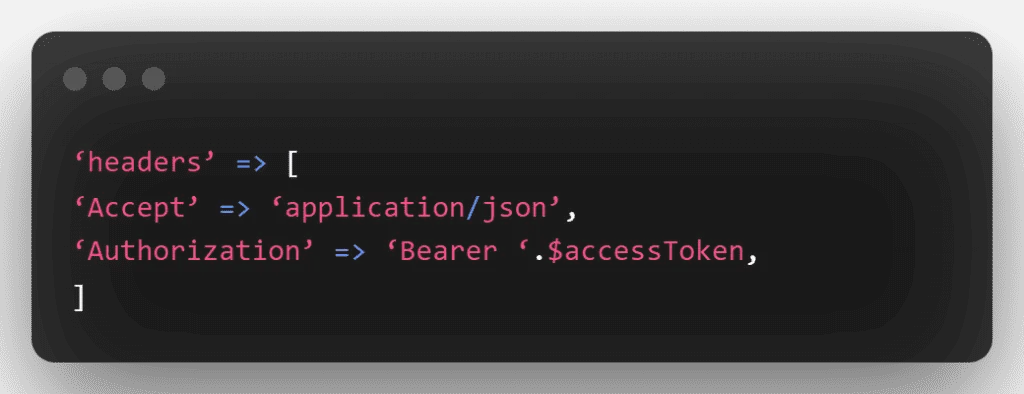
Next, you use the getUser, create product, list product, edit product and remove product APIs. You must pass the access token as a header in this API:
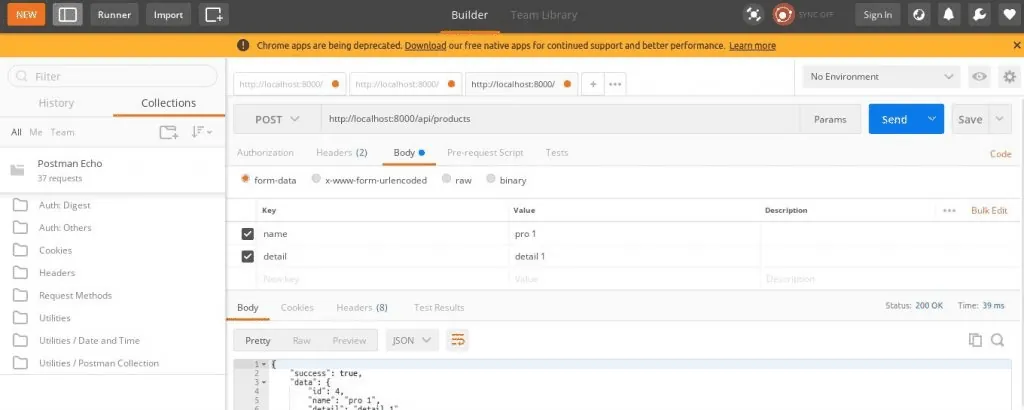
3 – Product List API
Method:- POST
URL:- http://127.0.0.1:8000/api/products

4 – Product Create API
Method:- POST
URL:- http://127.0.0.1:8000/api/products
5 – Product Fetch API
Method:- GET
URL :- http://127.0.0.1:8000/api/products/{id}
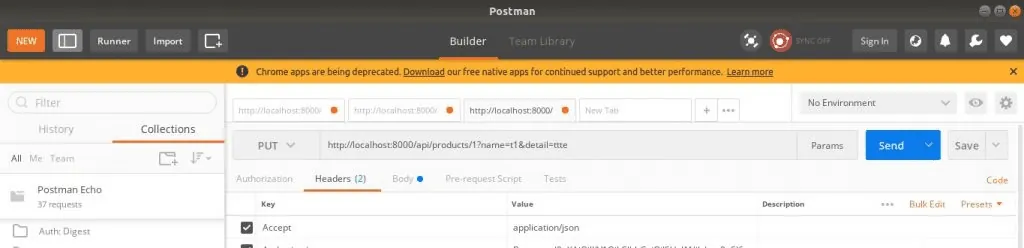
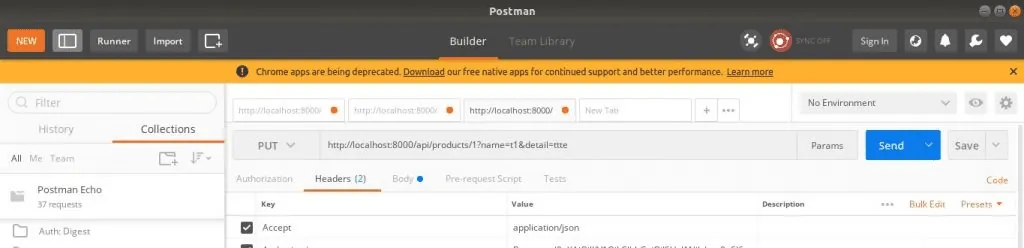
6 – Product Update API
Method:- PUT
URL :- http://127.0.0.1:8000/api/products/{id}
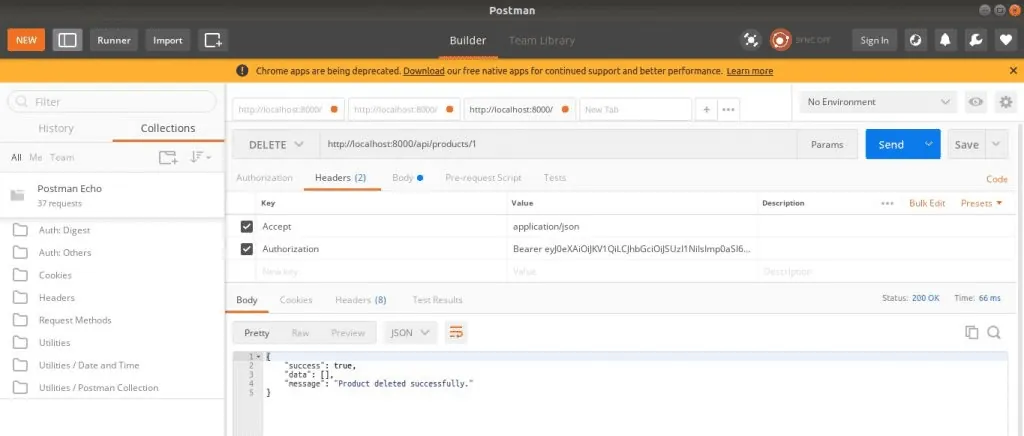
7 – Product Delete API
Method:- DELETE
URL :- http://127.0.0.1:8000/api/products/{id}
Conclusion
To sum up, PHP is the language that most web developers use. Recently, it has also been very successful for deploying web applications. You can create efficient APIs in Laravel 8 with Passport auth. You can also use the Postman app to call these APIs, which makes PHP a very useful language. If you need help with API work, see our web development services.
Have a question about this?
Book a 30-minute call with an engineer who works on it.