
Wix is a cloud-based website builder that has web hosting and style services. To create a website with Wix, you do not need specialist skills or an online developer. Its user-friendly drag-and-drop tools and over 500 ready-made templates make building a site easy. Many people use it because it is powerful. Wix speeds up the online development process and gives you the creative freedom to make the website you want. As a result, it is an ideal website builder for small and medium e-commerce businesses.
How to Create a Wix Website in 4 Steps
Step 1- Create an account on Wix
First, go to https://www.wix.com and create your account.
Then Wix asks some questions. You can skip them.
Step 2- Choose a design for your website
Wix contains a lot of pre-made designs. You can select one and use it on your website.
Templates are fully built sites. They contain everything you need to get started, like sample content, galleries, inner pages, and built-in business features. Each one is fully customizable. You can use it as a good starting point for your Wix website.
You can find over 800 designer-made templates from Wix. They cover all sorts of sites, from a recipe blog to a wedding event site, and from a car mechanic business to a consultancy. Wix builds each one using research and trends, so every part, from the design to the pages, fits the subject.
When you pick one, click the “Edit this site” button.
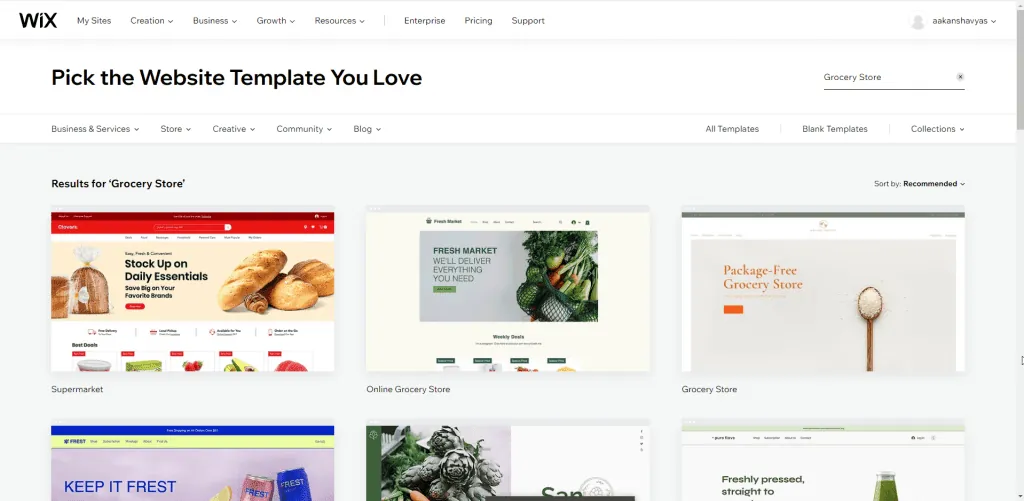
Step 3- Add your content to your chosen template
Next, add your own text and images to the template.
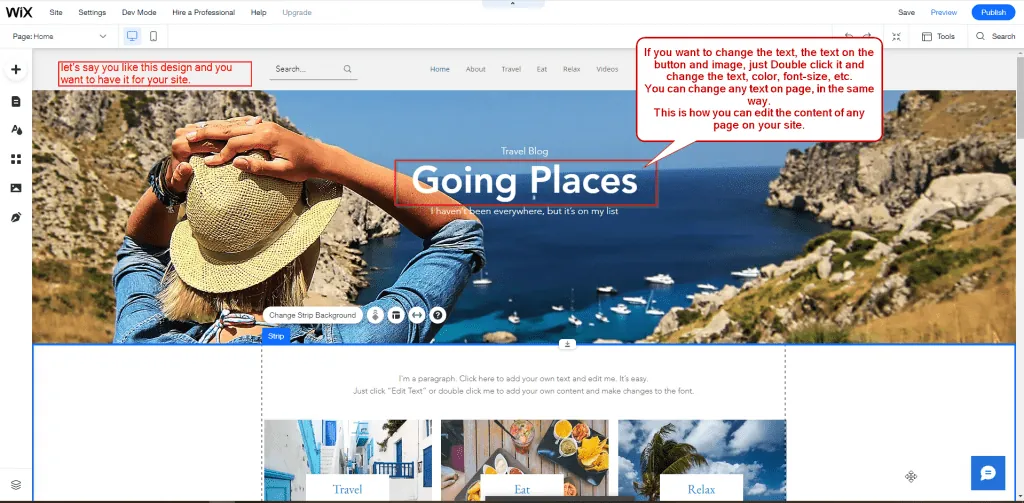
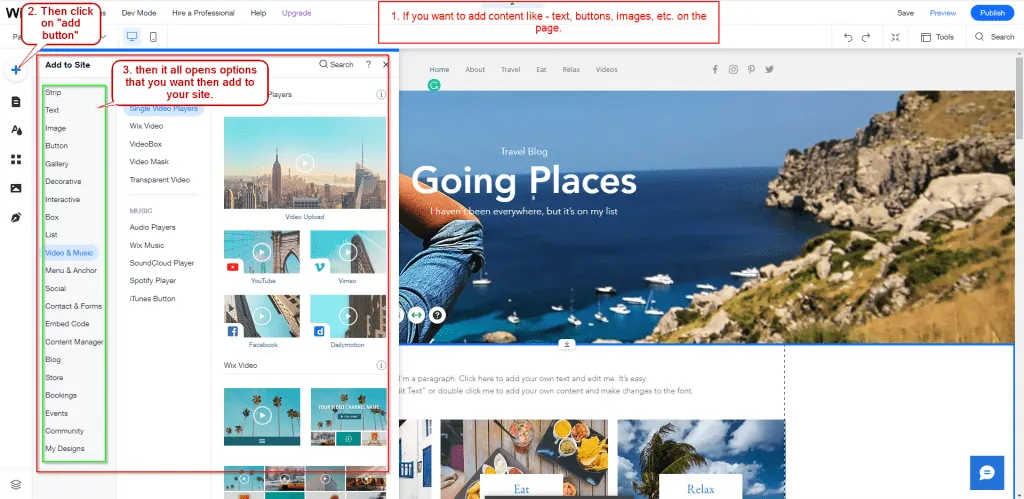
Add more elements such as text, buttons and images
Add apps and third-party tools to your website
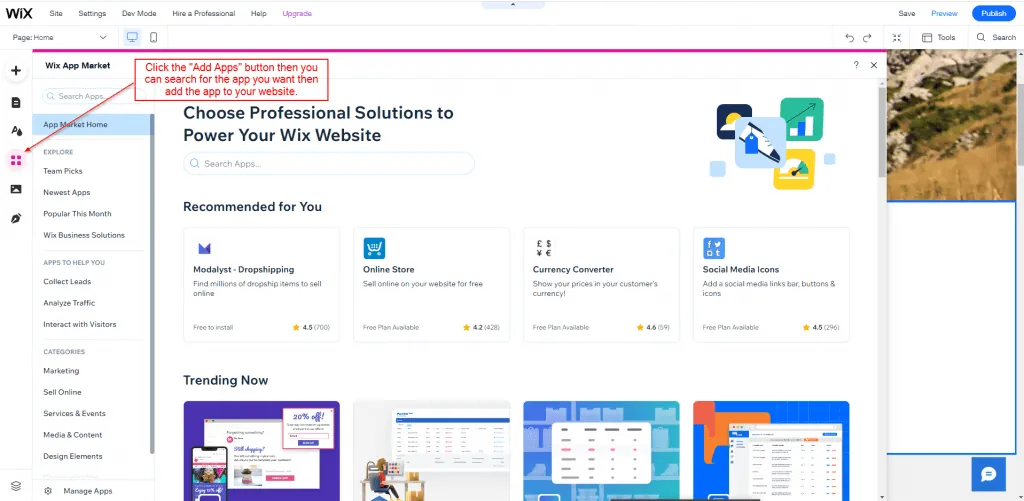
Wix apps you can add
Examples are Wix Stores, 123 Form Builder & Payments, Visitor Analytics, Social Media Stream, Comments, Logo makers, Wix Bookings, Photo & Video gallery, and Site booster.
For example, take Social Media Stream.
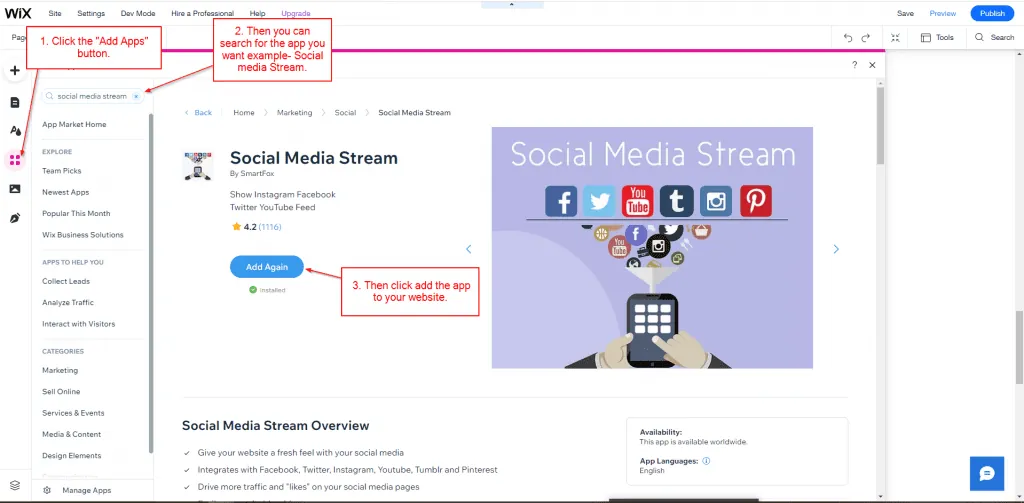
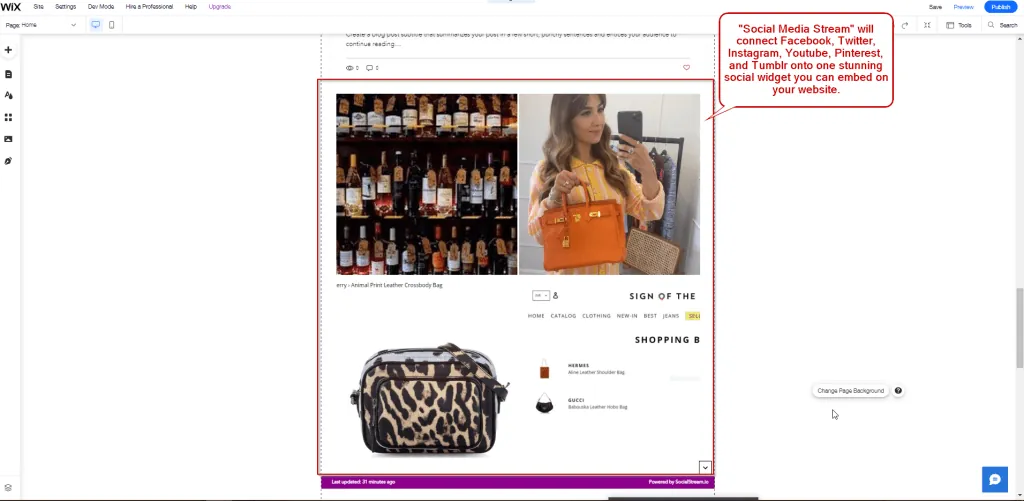
“Social Media Stream” connects Facebook, Twitter, Instagram, YouTube, Pinterest, and Tumblr in one social widget. You can embed it on your website.
- Integrates with Facebook, Twitter, Instagram, YouTube, Tumblr, and Pinterest
- Drive more traffic and “likes” on your social media pages
- Works on a PC, phone, or tablet
- Customizable widget
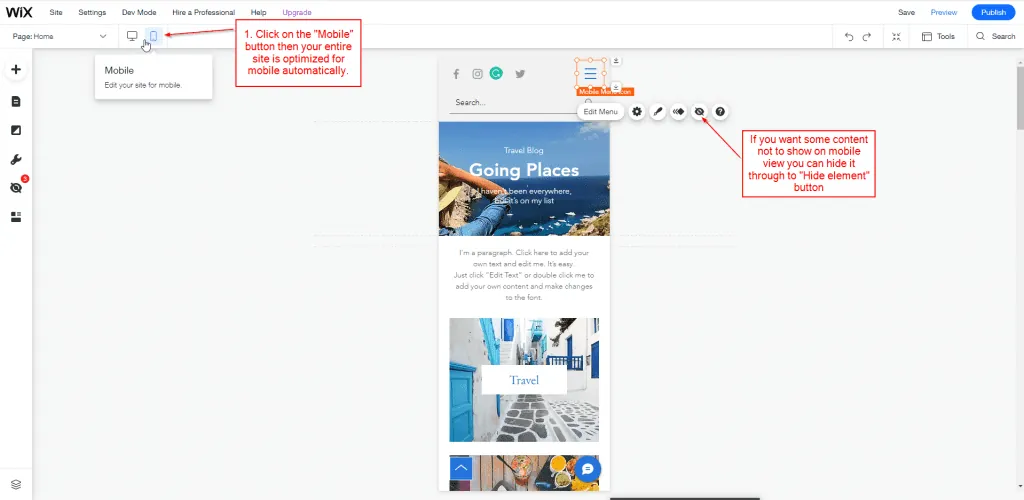
Change the content for mobile and make it responsive
In the mobile view, you can build your website responsively. You can also add content in mobile view or hide content. As a result, you can customize the mobile view and create an attractive website.
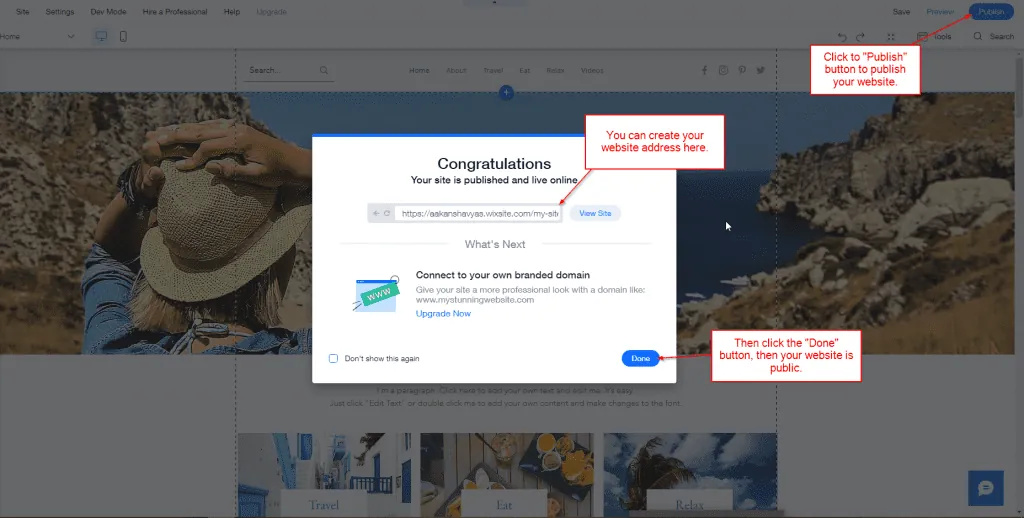
Step 4- Publish the website on the internet
When your website is ready, click the “Publish” button. Then create your website address and click the “Done” button. Your site is now public.
Wix is a user-friendly drag-and-drop tool, so you can create your website easily. Third-party apps in Wix make your website attractive and can increase your sales. You can also change the theme or layout. If you want a website that is customizable and easy to use, you should go for Wix. For help with bigger builds, see our web development services.
Need a website or web app?
We build on WordPress, Webflow, Shopify, Bubble and custom stacks.