
The evolution of Salesforce LWC has changed how developers build components. In this blog, we learn how parent and child components talk to each other in LWC. Before we start, I have one question. I hope you know the answer. If you don’t, I will answer it.
Why did Salesforce introduce LWC?
Salesforce introduced Lightning Web Components (LWC), a modern JavaScript framework for building reusable, scalable and high-performance web components. With LWC, we can create reusable components, which reduces development time and increases productivity. LWC also integrates well with the Salesforce platform. As a result, it is a good choice for building custom applications on the Salesforce ecosystem. With parent-child communication, components can reuse each other’s behavior in a flexible and modular way.
First, we need to understand the @api decorator, because it is the heart of communication from parent to child and from child to parent.
To create a public property, we use the @api decorator. For that, we first import api from the lwc package.
import { LightningElement,api } from ‘lwc’;

After that, we decorate our property with @api.

Important points about the @api decorator
- The @api decorator marks a class member as public, meaning it can be accessed from outside the component.
- Public properties and methods are reactive. If they change, the component rerenders automatically to show the change.
- Only one class member per component can be marked as the default export. This class member should be marked with the @api decorator.
- The @api decorator can only be used on class members (such as properties and methods). It cannot be used on standalone variables or functions.
- The @api decorator can be combined with other decorators, such as @track or @wire, to provide additional functionality.
Parent-child communication in the evolution of Salesforce LWC
Now let’s move to our main topic. In the Salesforce Lightning Web Components (LWC) framework, parent-child communication is the way a parent component and its child component exchange information and interact with each other.
In this blog, we are going to look at two things:
- Parent-to -Child Communication
- Child-to-Parent Communication
Parent to Child Communication
When we pass data from a parent to a child, we call it parent-to-child communication.
The parent component can pass data to its child through public properties. The child component can then use that data to render or change its behavior.
A parent component can access and work with the child component through properties, methods and events. We can create events, methods and properties with combinations of decorators such as @api, @track and @wire.
I hope you are enjoying it. Ok, let’s continue.
A parent component can pass data to a child component through public properties. The child component can then read the data with the decorator.
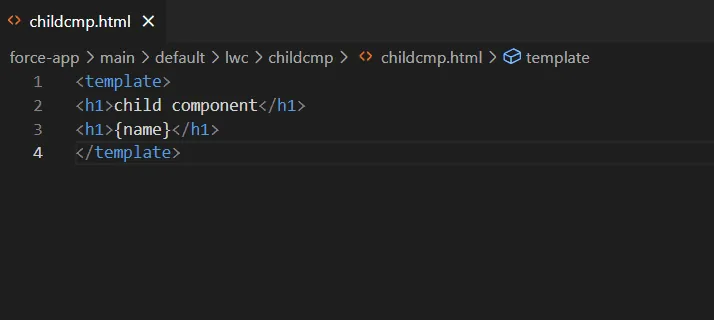
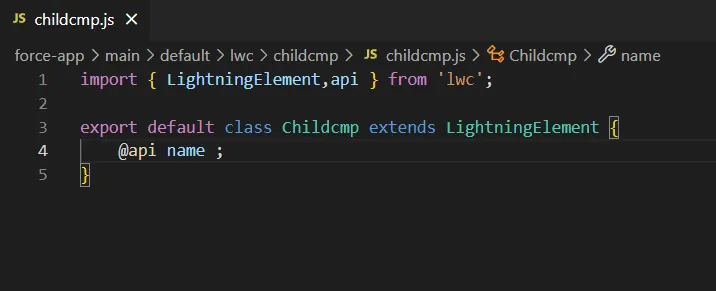
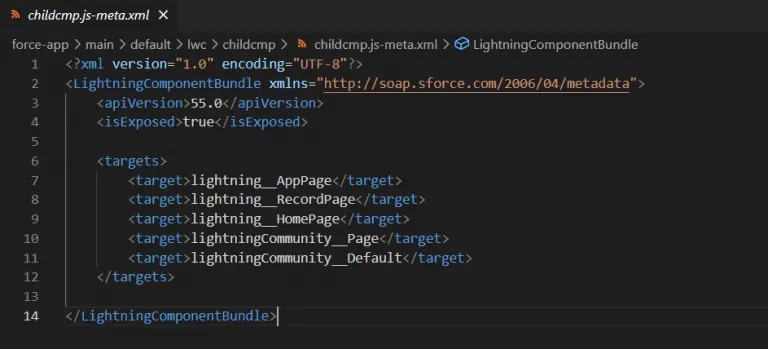
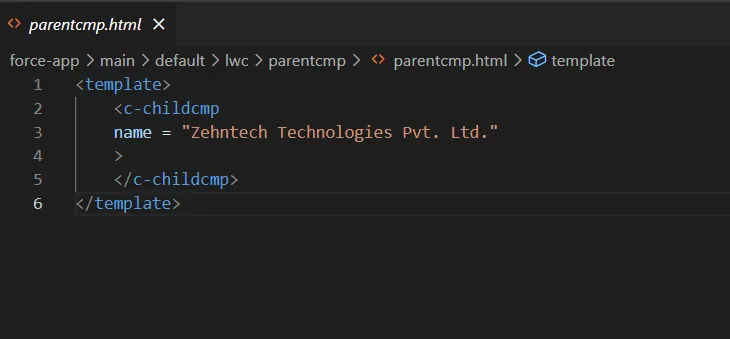
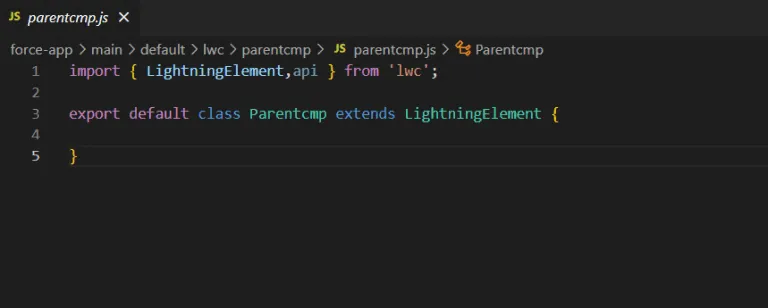
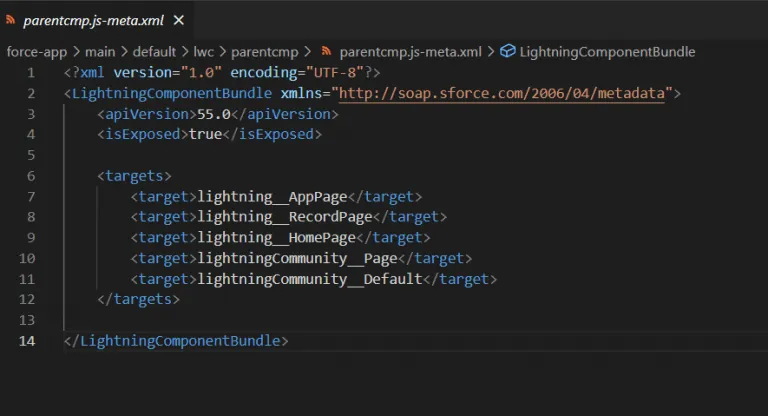
Output

In this example, we pass the name value from parent to child. The @api decorator tells LWC that name is a public property, so parent and child can use it to communicate.
We can also pass a value from one decorator to another in parent-child communication. I hope you got it. If you didn’t, let’s see one example.
We did not change the child component. We only changed the parent component.
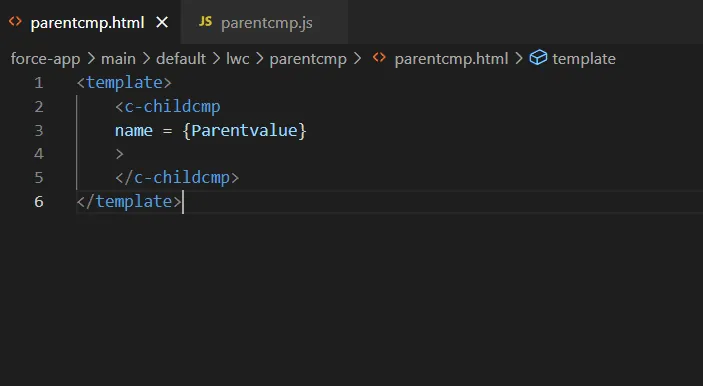
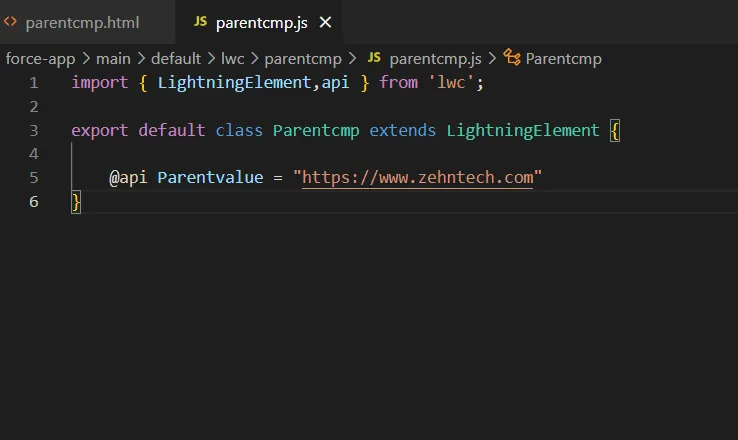
Let’s understand this example.
Here, we create one decorator @api Parentvalue = “https://www.zehntech.com”
Then we pass it to the child component as name = {Parentvalue}
Now I hope you got it. I know what you are thinking: it’s very easy. It is, but you need to practice.
Bruce Lee
“Practice makes perfect. After a long time of practicing, our work will become natural, skillful, swift, and steady.”
Child-to-Parent Communication
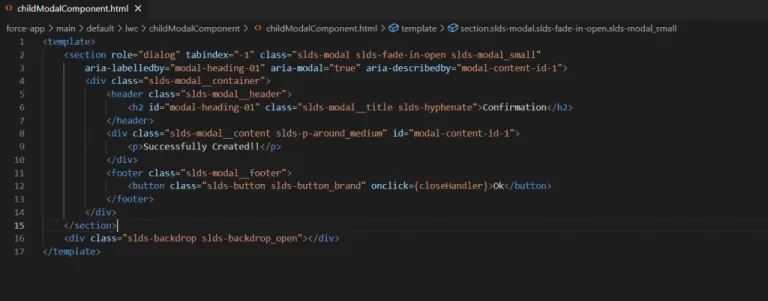
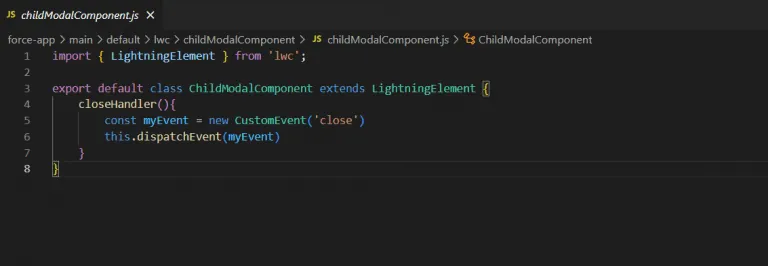
In child-to-parent communication, the child component sends values to the parent component. We pass the value to the parent through a custom event.
-
Component event: A component event lets one component communicate with another. It allows one component to send action events to another component.
-
Application event: An application event lets different components communicate with each other, even if they are not directly related. This event helps when we build a complex application with many components. It lets those components interact with each other flexibly.
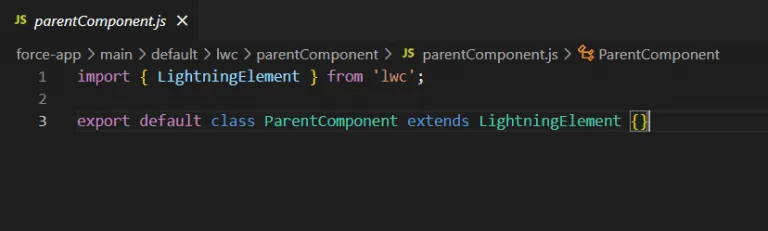
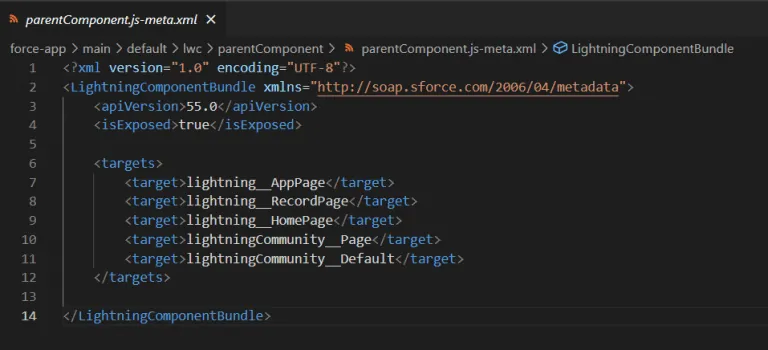
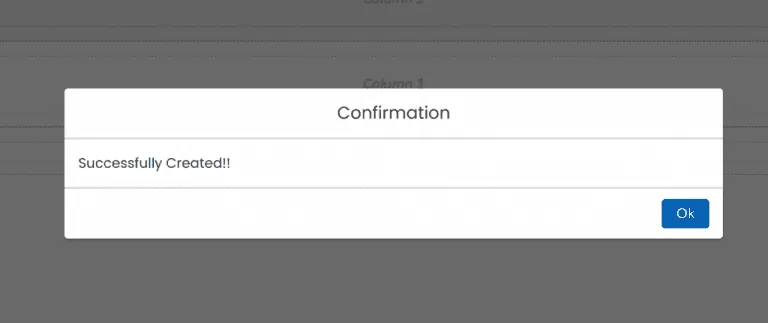
Let’s see one example.
Importance of parent-child communication in Salesforce LWC
-
Parent-child communication lets us reuse components with other components. This saves us time.
-
When we create separate components for separate functions, our code becomes easy to maintain.
-
Parent-child communication helps us organize our code by logic, function and work.
-
Parent-child communication makes debugging easy. We can quickly find out whether a bug sits in the parent, the child or another component.
-
Parent-child communication also makes development easy, because we can create components to match requirements.
-
For example, if the user doesn’t like some components, we can update only those, and we can add a new component.
-
Parent-child communication improves testability. It allows us to test individual components.
-
Parent-child communication makes collaboration between developers easy, because different team members can build and maintain different components.
-
It also encourages best practices such as separation of component design, so it can improve the overall quality of the codebase.
-
When you build and maintain a Salesforce application, clear and logical parent-child communication improves the developer experience. It makes development easy, accurate and fast.
Conclusion
With parent-child communication, we developers can build large and complex applications in LWC quickly. Public properties, methods and decorators let us share data and functions between components effectively. LWC components can easily share and update data with their parent or child components. It also lets us cut both time and code. The evolution of Salesforce LWC keeps making this easier. Learn more about our custom software work, or visit the official Salesforce site.
Have a question about this?
Book a 30-minute call with an engineer who works on it.