Machine learning (ML) is a part of artificial intelligence (AI). It helps software applications make more accurate predictions. However, ML and its libraries can be tricky and complex. In this article, we explain object detection using YOLOv5 and TensorFlow in simple steps.
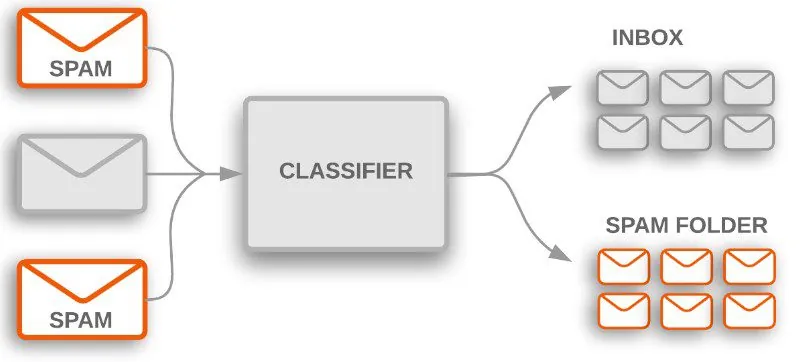
TensorFlow is mainly used for text and object detection. For example, Google’s email software uses ‘text classification’ to decide whether an incoming email goes to the inbox or the spam folder. Google ‘image search’ also works on machine learning (object detection). It matches pixels with indexed images and then gives the right result.
YOLOv5 is an object detection algorithm that works on a grid system. So, here we learn about YOLOv5 and basic TensorFlow. If you need help building an AI product, see our AI product engineering service.
What Is Object Detection?
Object detection is one of the important fields of AI (Artificial Intelligence). It refers to the capability of computer and software systems to locate objects in an image/scene and identify each object.
Let’s understand object detection with real-world examples. Recognising objects in an image is a normal function of the human brain.
When a computer identifies objects in videos and images, we call it ‘object detection’. Many object detection algorithms have emerged in the last few years, such as R-CNN, Mask R-CNN, MobileNet, SqueezeDet and YOLO.
Tensorflow
TensorFlow is an open-source platform for ML (machine learning). Google originally developed it. TensorFlow applications can run on a conventional CPU, a higher-performance GPU (graphics processing unit) or a TPU (tensor processing unit).
Google uses this machine learning library across many areas to apply deep learning. It also provides a collection of workflows and object detection APIs. As a result, we can train models easily.
If you want to know more about TensorFlow, you can visit the official website (https://www.tensorflow.org/).
What You Need to Train a Custom Object Detection Model
- Basic knowledge of the Python language.
- Data sets (Images) of the object you want to train.
- Label for the images (You can try this website https://www.makesense.ai).
- A GPU or a high-speed CPU (you can also try online notebooks).
How and Where Can We Train a Model?
We have two ways to train the model.
- Local code editor (ex. vs code)
- Online Notebook editor (ex. Colab)
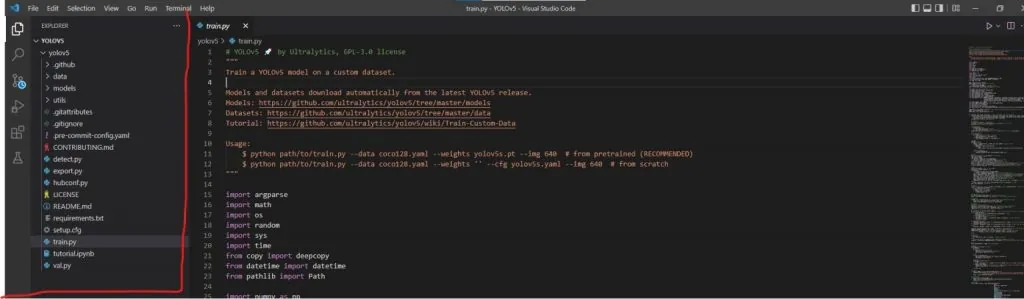
Local Code Editor – You can train the model on your PC. However, it can take a long time. If your PC can’t run heavy programs, please use an online GPU editor. If it can, you just need to clone the official YOLOv5 code from GitHub (https://github.com/ultralytics/yolov5.git) repository. Then run the requirements.txt file in the terminal for the setup.
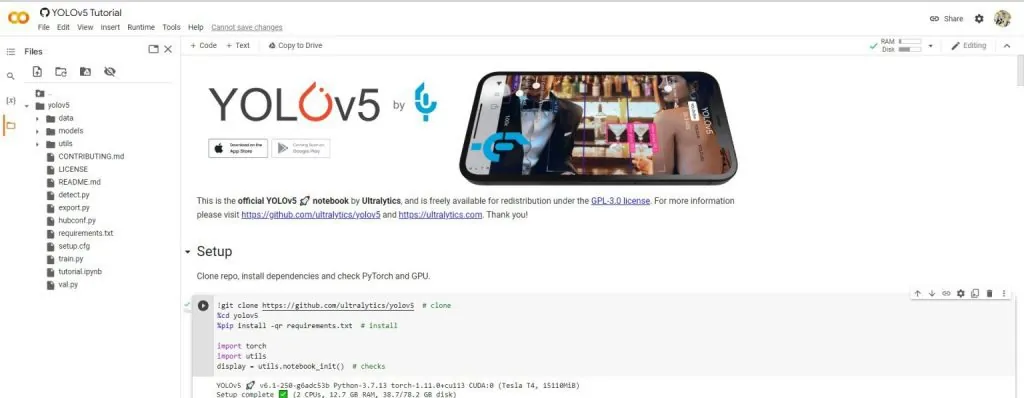
Online Notebook Editor – We have multiple online notebooks (Google Colab, Kaggle, Jupyter notebook) for training the models. However, we suggest “Google Colab” because its interface is simple and its processing is fast. Colab provides free GPUs for everyone. It also gives you a good experience of machine learning and deep learning.
Please download the model file after training. Sometimes the notebook deletes the model file automatically when the PC is turned off.
What Affects Model Training
Model training is not a very difficult task. However, the size, accuracy and speed of the model depend on a few basics. These basics affect your object detection model.
- Number of object images.
- Batch size.
- Epoch number
- Images are a very important part of any object detection model. Many clear images help you train the model accurately. Without images, we can’t train the model.
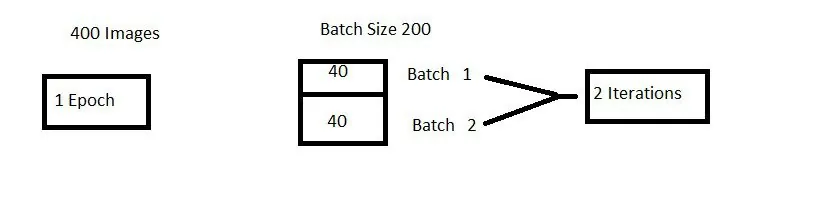
- An epoch represents one iteration over the entire dataset. In other words, one epoch is one forward and backward pass of all training data.
- We cannot pass the entire dataset into the neural network at once. So, we divide the dataset into a number of batches. Batch size means the number of training examples (images) in one forward and backward pass.
An Example of Epochs and Batch Size
- If we have 2000 images and a batch size of 40, the epoch runs 2000/40 = 50 iterations. So we need 50 iterations to complete one epoch.
- If we have 400 training examples (images) and the batch size is 200, it takes 2 iterations to complete 1 epoch.
Predefined Models for Object Detection
Colab and YOLOv5 provide some predefined models for training custom object detection models, for example (YOLOv5n, YOLOv5s, YOLOv5m, YOLOv5l, YOLOv5x, YOLOv5n6, YOLOv5s6, YOLOv5m6 , YOLOv5l6, YOLOv5x6TTA).
To start training, you need to run this command in a notebook.
!python train.py --img 640 --batch 16 --epochs 3 --data coco128.yaml --weights yolov5s.pt --cache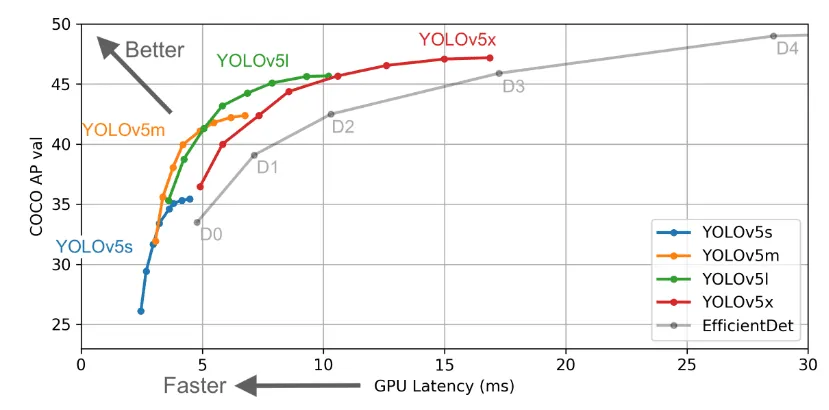
If you are a beginner, we suggest you use YOLOv5x. It is a medium-size model and is enough for you.
TensorFlow is a popular AI technology. It uses tensors and lets you perform graph computations. Its main benefits are that it is open-source, uses graph computation, and is flexible and versatile.
We hope that after reading this article you understand the following.
- How object detection algorithms work, and what TensorFlow, YOLOv5 and Colab are.
- How we can train a model better.
- The key points of object detection: epoch, batch size and iteration.
If you want to explore YOLOv5 further, here is some documentation you can follow.
* YOLOv5 Documentation https://docs.ultralytics.com/
* Docker Image https://hub.docker.com/r/ultralytics/yolov5
Planning an AI project?
Our engineers build AI agents and run them in our own company first.