Virtual Healthcare
Doctor-patient chat for remote consultations and prescriptions, with separate patient and provider views.
Virtual Healthcare– Flutter Mobile App Development
About the project
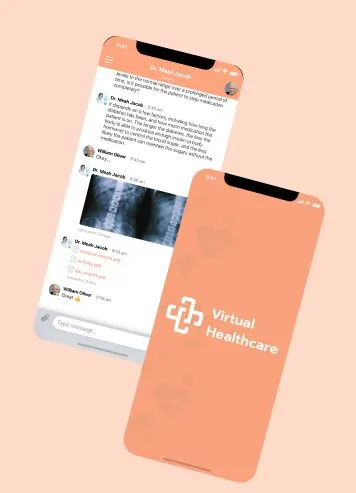
Virtual Healthcare is a Flutter mobile app for doctor-patient communication. Users chat with doctors and get immediate medical help. They can keep track of their medical history. They can also share reports, documents, images and videos, so doctors understand their problems better.
The challenge
Since Covid, people have grown used to digital platforms because they save time and give immediate help. The client wanted a platform where users can consult a doctor without a slow appointment process and a clinic visit. Users can simply use the chat function of the mobile app to consult a doctor and get medicine virtually.
What we built
We built this virtual healthcare Flutter app with the Flutter framework. It gives users direct, virtual medical treatment from a doctor through chat. As a result, the client finds the app time-saving and effective.
First, the app asks for login or registration the first time. Then, a user or provider can log in to their profile, then reset or change the password. They can also choose an online or offline status. In short, the app has two sides, User and Doctor, and we explain each below.
From the user’s side
Home – First, the first screen is a chat screen. The user can talk to a doctor directly by taking a ticket shown at the top of the screen. Then, the doctor gets detailed information about the illness as text, an image or a document. The menu list is at the top left corner. It has the profile, chat lobby, encounter history, medical history, preferred pharmacy, settings and logout.
Profile – The user’s profile has two sections: general information and medical history. Users can change their information and log out from the profile section at any time.
Chat Lobby – Also, users can jump to the chat section and talk with a particular doctor.
Encounter history – Here, users see all past treatments.
Medical history – This is an important section, because it includes all the medical treatment a user had before using the app.
Preferred pharmacy – Users can see their preferred pharmacy information here. They can also add, edit and delete it.
Setting – Finally, users can change their password and notification details.
From the doctor’s or provider’s side
Home – The doctor’s home screen shows the chat lobby with the patient’s active and closed encounters. For example, active encounters show new conversations, while closed ones show all past treatments.
The doctor’s menu list is at the top left corner. It has the profile, active chats, waiting patients, encounter history, settings and logout.
Profile – Here, you see the doctor’s personal information. The provider can edit and delete it as needed.
Active chats – Next, this section shows all active chats with current patients, along with notifications.
Waiting patients – This list shows all waiting patients who are available to accept or have not yet been seen.
Encounter history – This shows the list of patients seen, with full details.
Setting – Finally, the provider can change the password and notification details.
Stay updated – Finally, the app lets users get medication immediately when needed. Also, medical history helps users and providers analyse the medical reports better. Read more about our mobile app development services.
A look at the work
What we built it with

Related case studies

Odoo as the backend for a car rental app
The customer app ran on Flutter while operations ran on Odoo, with no reliable link between them.

Ikshana: computer vision for street cleaning
Collection drivers picked up household bags but skipped roadside litter, so many streets stayed dirty.
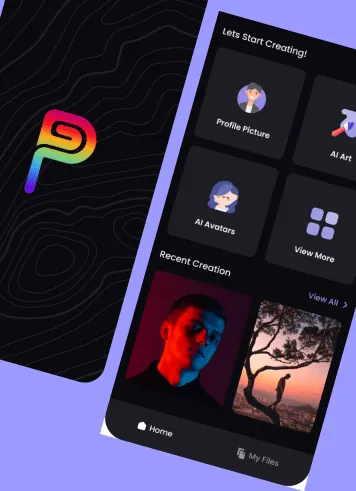
Pixel Genie: AI avatars and text-to-image app
Existing avatar and image tools were expensive, limited and hard to use.