
If you believe that automation testing requires excellent coding skills, you might not know about no code automation testing. Yes, you heard right! Gone are the days when testers had to write complex test scripts to automate their test cases.
As the name suggests, codeless automation testing tools let you create test cases with the help of a user-friendly web interface. First, you build tests with the drag and drop options. Some popular testing software requires no coding skills. It also provides a complete solution to test web applications, mobile applications, and APIs.
If you want to write test scripts independently, you’re free to do so.
These no code automation testing tools make it easy for testers to keep up with the Agile developments and maintain the test cases. With rapid development, codeless automation testing tools ensure that the new changes are not breaking the existing features.
You can run these test cases as often as you like. As a result, you get the maximum accuracy in regression.
Therefore, I have searched for some famous and widely used no code automation testing tools. They enhance productivity and reduce the time you spend testing the software.
Top 5 No Code Automation Testing Tools
1. Katalon Studio
Katalon Studio is the best choice for beginners to automate their test cases. First, it provides a record and playback feature through which you can record the testing steps, and the code will get generated automatically in the backend. Then you can create test cases with its drag and drop option and target the web elements for binding.
This tool gives you complete test coverage. It supports web, mobile, API, and cross-browser testing. Besides, it integrates with modern CI/CD workflows like Jenkins, Jira, Git, and many more.
However, a tester with good coding skills can write test scripts using built-in libraries and keywords. As a result, productivity goes up.
Finally, its user-friendly interface suits beginners and experienced testers.
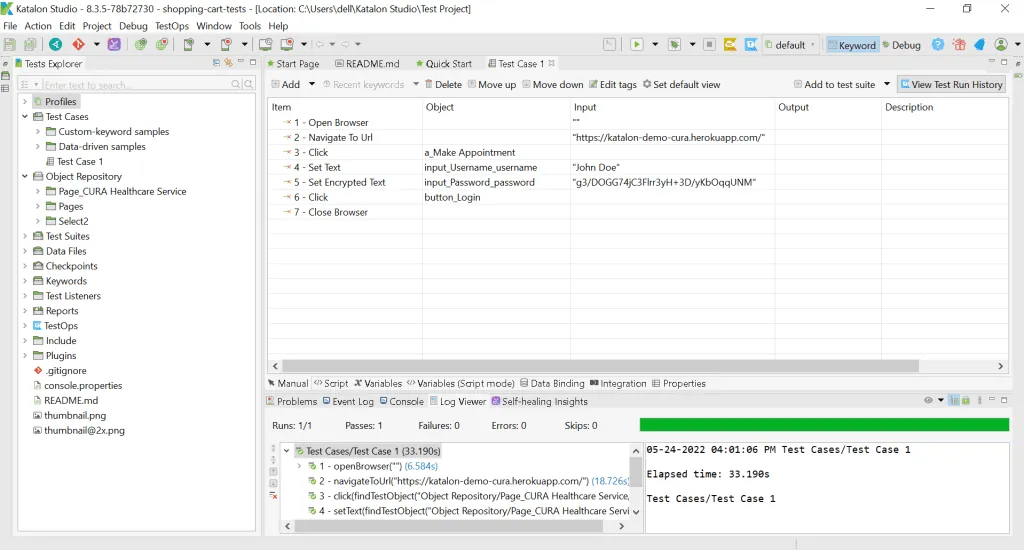
The Katalon Studio is freely available for individual use. However, you’ll have to register on the website.
For enterprise use, it has a range of premium plans.
You can download the tool from here –https://katalon.com/
2. Selenium IDE
Selenium is the most popular and go-to tool for automation testing. However, it requires testers to have good coding skills. Few people know that the Selenium IDE is available as an extension that can be installed on web browsers.
The extension works on Google Chrome or Mozilla Firefox web browsers. It also has a record and playback feature. For example, you record the test steps in the browser, and it creates the automated test steps for you.
Alternatively, if you prefer the drag and drop options, you can create the test cases by targeting the web elements through different attributes. You can also target an element with additional attributes. This makes the test cases resilient to changes.
To get started, open the extension and create a new project. After that, you can create test steps with the drag and drop options or by recording your actions in the browser. However, you must provide a base URL to start the process.
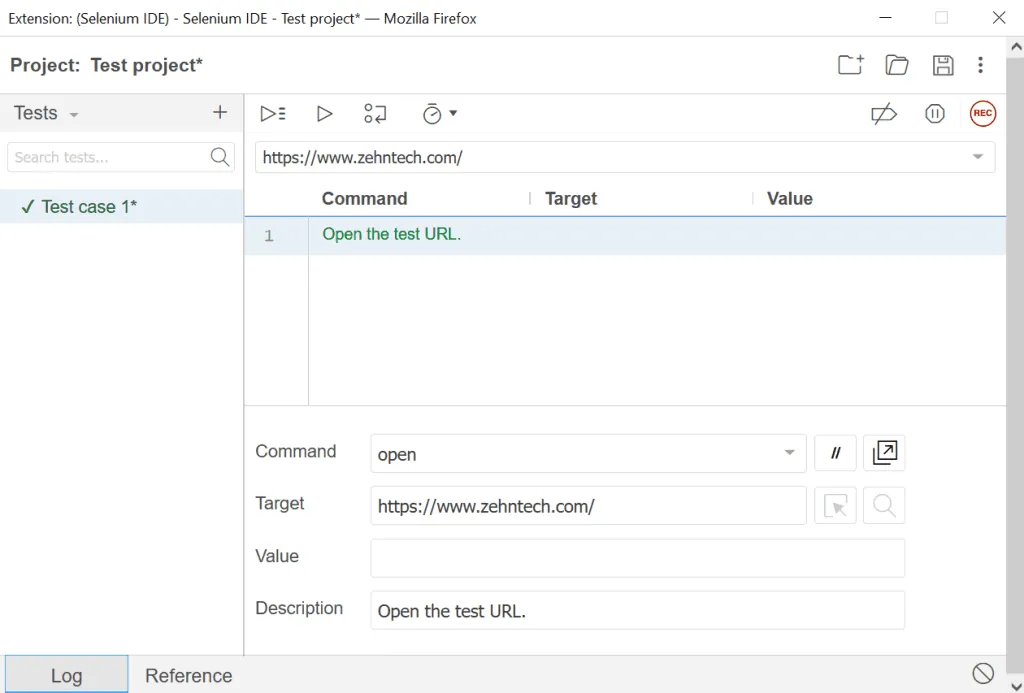
The Selenium IDE extension is an excellent tool for those who have just started exploring automated testing.
3. Endtest
Endtest is one of the best automation testing tools, and it provides a complete testing solution. You can create automated test cases for web and mobile applications without much time or effort. First, it has a very user-friendly interface. Then it lets you record your web and mobile tests. After you run a test, you can see a detailed test report for a thorough analysis.
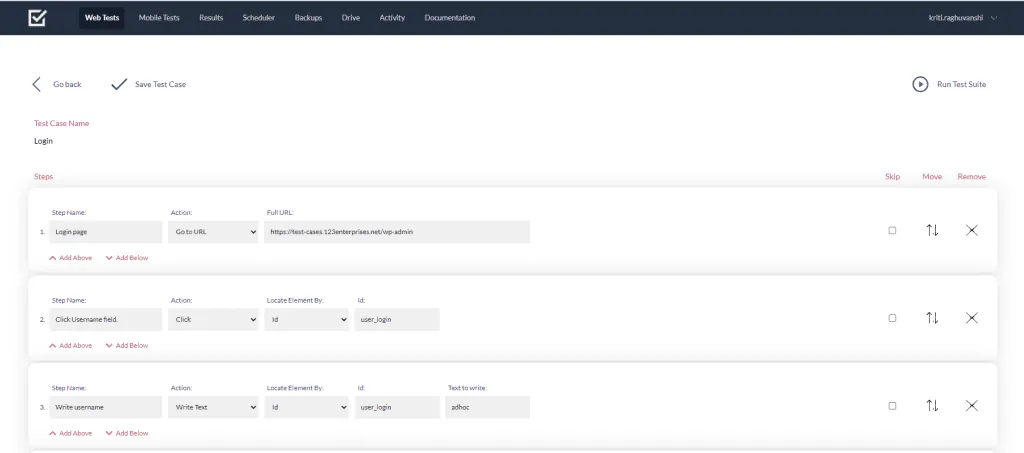
Endtest also lets you test API requests to check that the software functions work correctly.
The most significant advantage of this tool is that it lets you schedule your test run. For example, you can choose the time and leave the machine to do the testing.
Besides, it integrates with various workflows like Jenkins, Bitbucket, GitHub, etc.
Finally, it offers a free trial run if you wish to explore its features before opting for the premium version.
Click here to know more – https://endtest.io/
4. Applitools
All the other no code automation testing tools help you perform functional regression testing. However, with Applitools, you can test the application’s functionality and UI. Applitools makes UI regression testing easy for the tester. The steps are like those of other tools, with some additional effort. When you run the test case for the first time, it takes a snapshot as the baseline for the next run. Then, the next time, it cross-checks the UI with the captured snapshot and lists all the differences. This way, you can easily track UI changes across all the releases.
The tool also lets you select the mode for checking the UI: Exact, Strict, Content, and Layout. Its powerful Visual AI makes it a better choice to test the application UI across different browsers.
It also integrates with most modern CI/CD workflows like GitLab, GitHub, Slack, Jenkins, and many more.
Finally, it has a clean dashboard where test managers manage their test cases, test runs, and results.
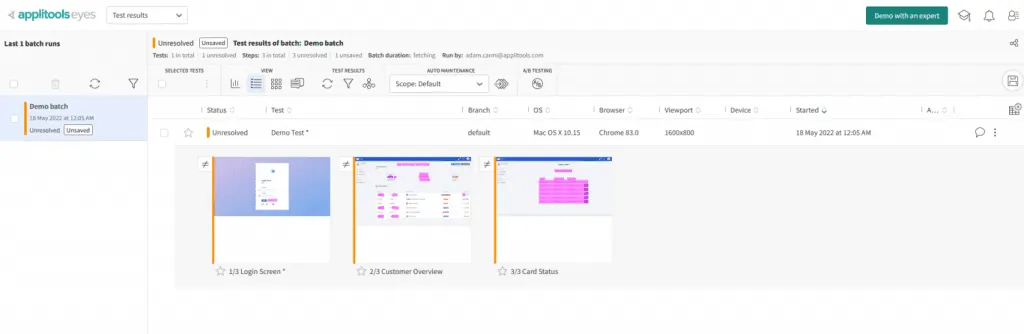
You can request a demo through its official website to check its functionalities by yourself – https://applitools.com/
5. TestGrid
TestGrid is another no code automation tool. It lets you run all types of testing, from web application, mobile application, and API testing to security testing. You can test the software in their cloud environment or ship it to your device. In addition, you can test the application across all browsers and all types of devices. It supports IoT automation too, which makes it easy to test software with voice recognition features.
Then you can assess the test results using its rich device and API performance insights. You don’t need any third-party tool.
A free version is available. However, you’ll have to buy the premium version to use the Virtual Cloud and Mobile Automation features.
To know more, please visit the site –https://www.testgrid.io/
Conclusion
Codeless automation testing tools are a boon to testers who wish to explore automation testing. These tools substantially reduce the time and effort needed to write automated test scripts. The automated test cases are also easy to maintain and resilient to frequent code changes. That is why the preference for no code testing tools for regression testing keeps increasing.
However, you need basic coding knowledge even though you can create test cases without writing a single line of code. The tools give you a great start and reduce your effort. Still, if you wish to grow more, you’ll have to learn how to write test scripts.
In short, these tools are excellent for learning and for reducing automation test effort. At some point, though, you’ll have to expand your knowledge to write complex test scripts. If you need help with testing, see our custom software services.
Have a question about this?
Book a 30-minute call with an engineer who works on it.